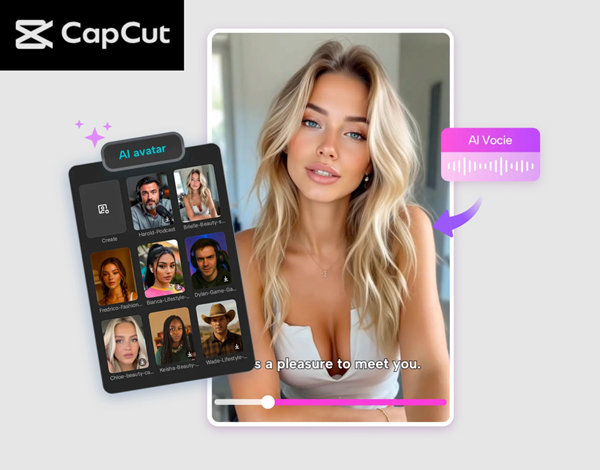
If you’re a student looking for a fresh, fun, and modern way to present your school projects, CapCut’s AI Avatar feature is one of the coolest tools you can use. Whether you’re preparing a class presentation, a digital assignment, a storytelling project, or a short video for social media, AI avatar helps you turn simple ideas into eye-catching content—no filming or fancy gear needed.
CapCut allows you to pick from thousands of customizable characters, generate speech using AI voices, and create animated scenes that look like they came straight out of a pro editing studio. The best part? You don’t need prior editing skills. Everything is designed to be beginner-friendly, making it perfect for students of all ages. In this article, you’ll discover why CapCut AI Avatars are so useful for school projects and explore creative project ideas students can bring to life. After that, you’ll learn a simple guide to start using AI Avatars on CapCut Desktop Video Editor.
Why Students Should Use CapCut AI Avatars
Students today often need to create digital assignments, visual essays, explainer videos, and interactive presentations. AI avatars help you:
Make your projects more engaging
Instead of a plain PowerPoint or text report, you can introduce animated characters who narrate the story, explain concepts, or act out scenes.
Save time
No need to film yourself, arrange lighting, or find a recording space. Avatars handle the presentation for you.
Share ideas confidently
If you’re shy about speaking on camera, AI avatars become your voice. With over 150 voices available, you can choose a tone that fits your project perfectly.
Add creativity and fun
You can create characters that look like students, teachers, scientists, animals, historical figures, or even fantasy characters. This gives you endless room to get creative.
Creative Project Ideas for Students Using AI Avatars
Not sure what to make? Here are some creative ideas students can bring to life using CapCut Desktop Video Editor:
1.History Lessons as Animated Stories
Turn historical figures—like Cleopatra, Einstein, or Gandhi—into AI avatars by using CapCut Desktop Video Editor that narrate their own stories.
2.Digital Science Experiments
Use avatars to explain how volcanoes erupt, how cells work, or why planets orbit the sun. Characters can act like scientists or lab assistants.
3.Book Summaries with Characters
Create avatars that represent different characters from novels. They can narrate the plot, discuss themes, or reenact key scenes.
4.Language Learning Projects
Use avatars to practice speaking skills. Have characters converse in French, Urdu, Spanish, or any language you’re learning.
5.Career Day Introductions
Have an avatar act as a doctor, engineer, teacher, or pilot, and explain what they do. Try CapCut Text to Speech AI to create an amazing explainer video. Perfect for school events.
6.Social Awareness Videos
Avatars can spread messages about kindness, recycling, safety, mental health, and community projects.
7.Art and Design Portfolios
Turn your drawings or ideas into stories narrated by digital characters.
8.Group Project Presentations
Use different avatars to represent each team member. It makes group work easier, especially when everyone has different schedules.
9.Animated Poetry Recitations
Let an avatar read your poem with emotional AI voiceovers.
10.Fun Social Media Videos
Create educational reels or TikTok-style videos featuring avatars to explain quick facts or study hacks. With the right idea, you can turn any school assignment into a creative digital masterpiece.
How to Use CapCut AI Avatar Feature for Creative Projects
Step 1: Access the AI Avatar
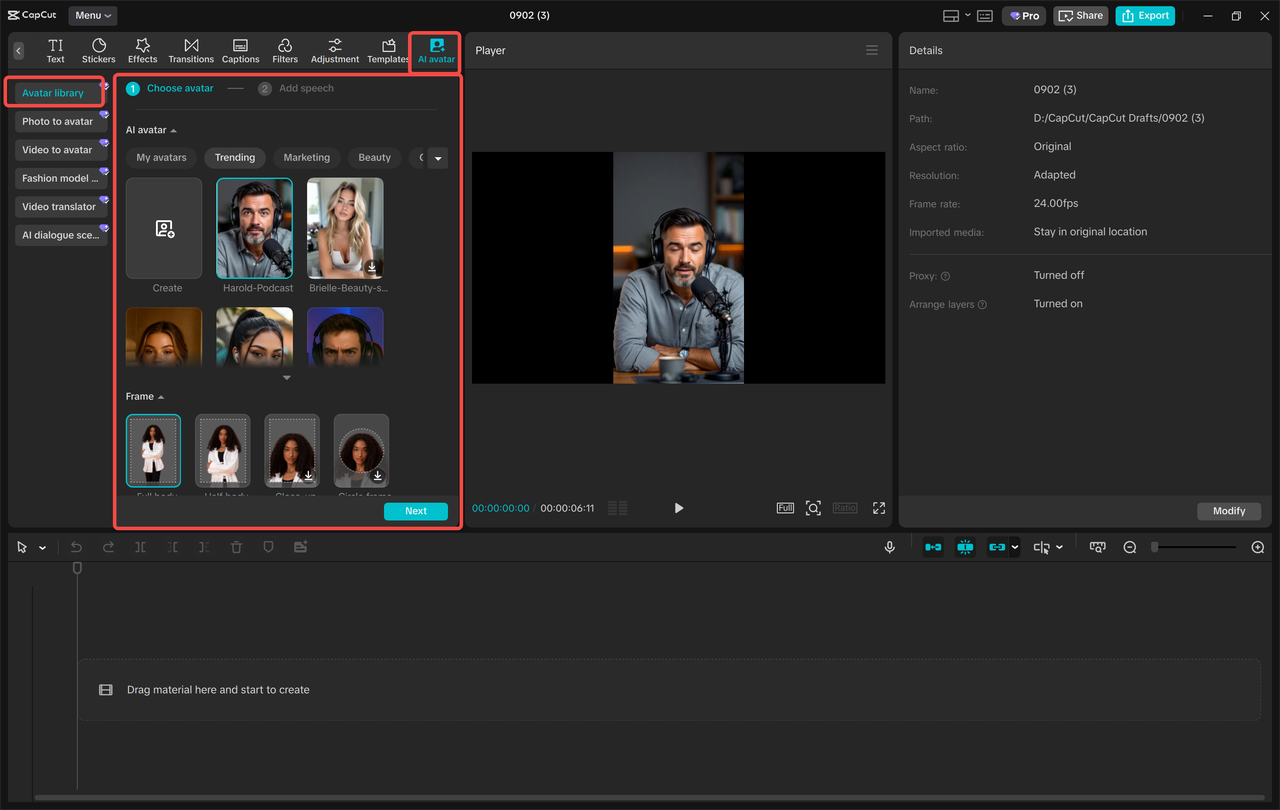
Open CapCut, then navigate to “AI Avatar” → “Avatar Library.” Browse through over 1,000 characters and select your favorite to use in your project. Then, click “Add Speech” to choose from 150+ AI voices and make your character talk. Finally, hit “Generate” to bring your avatar to life.
Step 2: Edit your avatar video
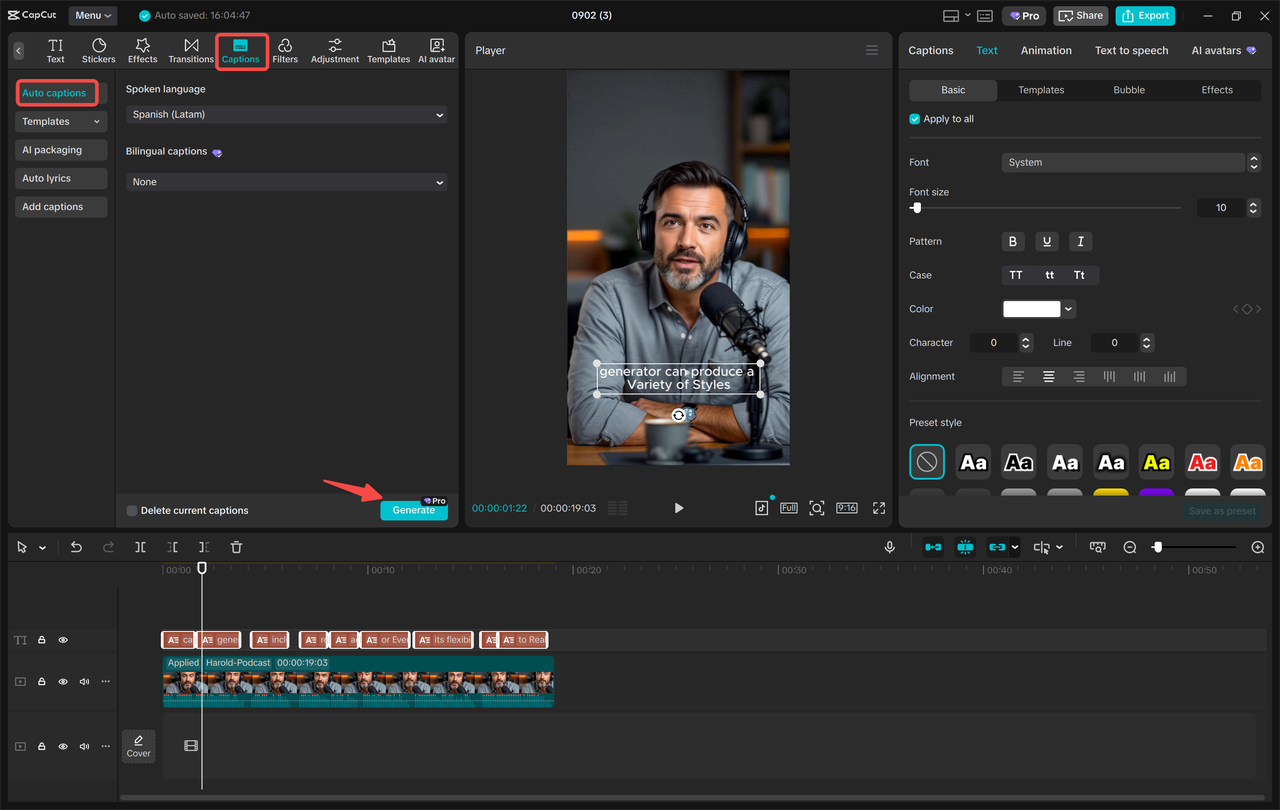
Now polish your avatar using CapCut’s built-in tools. Apply Filters to enhance the visuals and switch your background to a new location or scene. Next, click “Captions” → “Auto captions” to automatically generate subtitles for better clarity and accessibility.
Step 3: Export your avatar
Once your avatar is ready, export it to your device in high quality or share it directly on YouTube or TikTok with one click. Let your creation shine online and impress your classmates, teachers, and friends!
Conclusion
CapCut’s AI Avatar feature gives students a fun, modern, and powerful way to express their ideas. Whether you’re working on a history assignment, a science tutorial, a creative storytelling project, or a group presentation, avatars can make your work more engaging—while saving you hours of effort. From realistic characters to animated narrators, from crisp AI voices to customizable backgrounds, this tool opens up endless creative possibilities. So the next time you want your school project to stand out, try CapCut’s AI Avatar and let your imagination take over.